

Profit Margin vs Markup: What's the Difference?
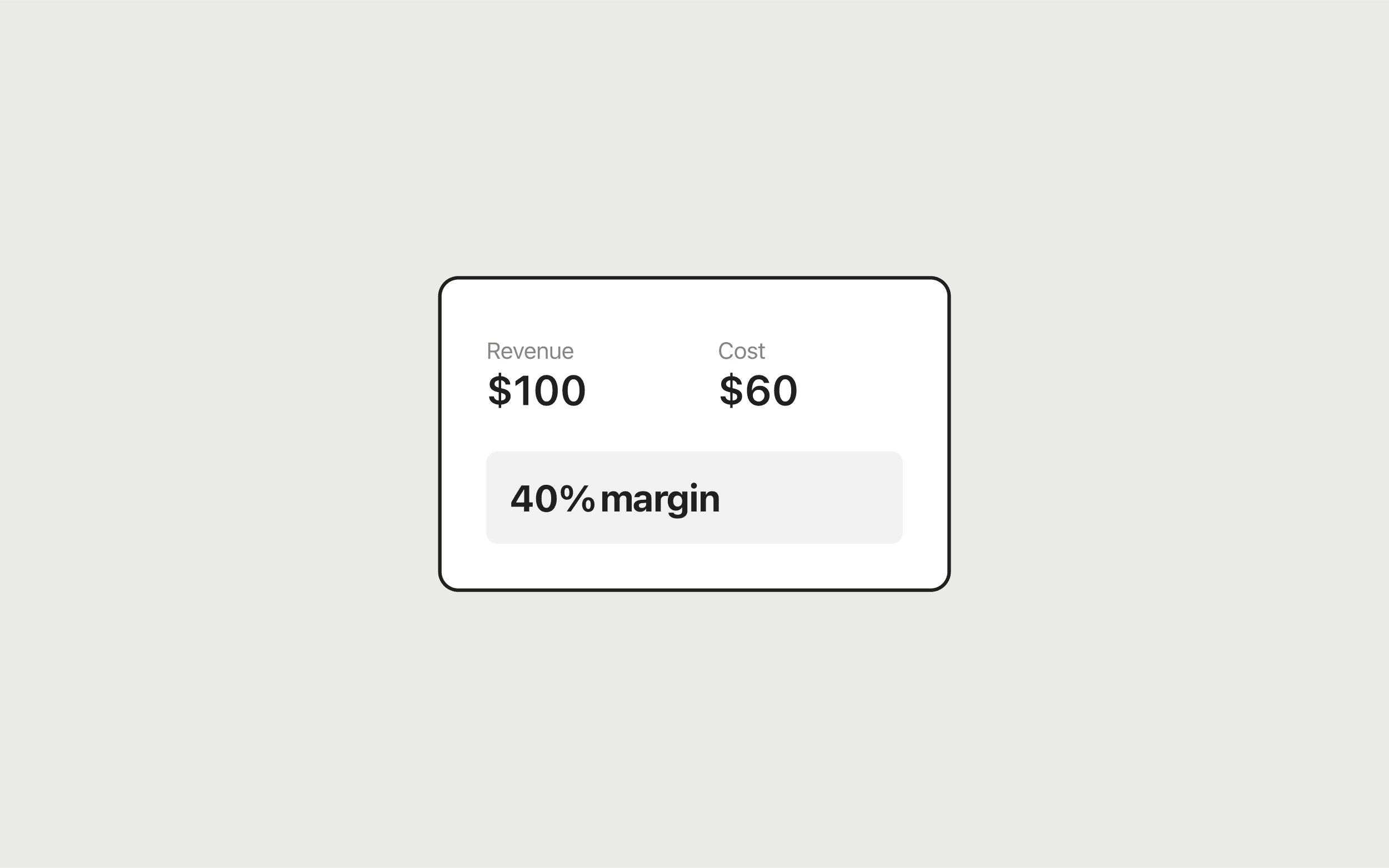
Profit margin and markup both describe the same profit, measured against different bases. Margin = profit ÷ selling price, while markup = profit ÷ cost. If an item costs $60 and sells for $100, the $40 profit is a 40% margin and a 66.67% markup. The Profit Margin Calculator shows both numbers from revenue and cost, so you can see the gap for your own prices.
Try it now
Profit Margin Calculator
Loading tool…
Margin vs markup at a glance
| Profit margin | Markup | |
|---|---|---|
| Formula | (Price − Cost) ÷ Price × 100 | (Price − Cost) ÷ Cost × 100 |
| Base | Selling price (revenue) | Cost |
| Answers | What share of each sale do I keep? | How much did I add on top of cost? |
| Range for a profitable sale | Above 0%, below 100% | Above 0%, no upper limit |
| Typical use | Reporting, comparing products, financial targets | Setting prices from supplier or production cost |
| Which is bigger | Always smaller | Always larger |
Both start from the same number, profit = price − cost. The only thing that changes is what you divide by. Cost is smaller than price, so dividing by cost always gives the bigger percentage.
The conversion formulas
Write the percentages as decimals (40% = 0.40):
Margin = Markup ÷ (1 + Markup)
Markup = Margin ÷ (1 − Margin)
For example, a 50% markup is 0.5 ÷ 1.5 = 33.33% margin. A 40% margin target needs a 0.4 ÷ 0.6 = 66.67% markup.
Conversion table
| Markup | Margin | Margin | Markup needed | |
|---|---|---|---|---|
| 10% | 9.09% | 10% | 11.11% | |
| 25% | 20% | 20% | 25% | |
| 50% | 33.33% | 30% | 42.86% | |
| 75% | 42.86% | 40% | 66.67% | |
| 100% | 50% | 50% | 100% | |
| 150% | 60% | 60% | 150% | |
| 200% | 66.67% | 75% | 300% |
Notice how quickly the gap widens. At low percentages the two are close, but a 75% margin needs a 300% markup.
Worked examples
Example 1: the same sale, two percentages
Cost $80, price $120.
- Profit = $120 − $80 = $40
- Margin = $40 ÷ $120 = 33.33%
- Markup = $40 ÷ $80 = 50%
Say a supplier asks "what's your markup?" and you answer with your margin. You've just understated your pricing by 16.67 percentage points.
Example 2: hitting a margin target with markup pricing
Your business plan calls for a 40% margin, but your team prices by adding a markup to cost. An item costs $60.
- Wrong: a 40% markup gives $60 × 1.40 = $84, profit $24, margin $24 ÷ $84 = 28.57%
- Right: a 66.67% markup gives $60 × 1.6667 ≈ $100, profit $40, margin 40%
You can get the same answer directly from the Target margin tab of the Profit Margin Calculator: enter $60 for Cost and 40 for Target margin (%), and Required revenue comes back as $100.
Example 3: what a discount does to both
Price $100, cost $60. That's a 40% margin and a 66.67% markup. Run a 10% sale:
- New price = $90, profit = $30
- Margin drops to 33.33%, markup drops to 50%
- Profit per unit fell from $40 to $30, which is 25% less profit from a 10% price cut
Use the Discount Calculator to get the sale price, then put that price and your cost into the margin calculator to see what you actually keep.
When to use margin
- Comparing products or services. Margin is a share of revenue, so you can compare a $5 item with a $500 one on the same scale.
- Financial reporting and targets. Gross margin is the standard measure in income statements and business plans. When someone asks about "profitability," they usually mean margin.
- Checking a finished price. Once a price exists, margin tells you how much of each sale covers overhead and profit.
For step-by-step instructions, see how to calculate profit margin.
When to use markup
- Pricing from cost. Retail, wholesale, and manufacturing often start from a cost and add a percentage. Markup is the natural way to think about that.
- Quick quotes. "Cost plus 50%" is easy to say and easy to calculate on the spot.
- Working with suppliers. Wholesale price lists and distributor agreements are often written in markup terms.
The Markup Calculator handles both directions. Its Cost + markup % tab gives you a selling price, and its Cost + selling price tab tells you the markup you're already using. It also shows the margin, so you can check one against the other. The markup guide goes through more examples.
Common mistakes
Mixing the two in one conversation. Pick one, say which one it is ("40% margin" or "40% markup," never just "40%"), and stick with it in quotes, spreadsheets, and contracts.
Assuming they're interchangeable at small percentages. A 10% markup is a 9.09% margin, which is close enough for a rough estimate. At 50% and above the gap is too large to ignore.
Using a markup percentage as the sale discount limit. Mark a $100 cost up 50% to $150, and a 50% discount takes you to $75, below cost. The safe maximum discount is your margin, not your markup. Here that's 33.33%, which brings the price back to exactly $100 with zero profit.
Leaving costs out. Both percentages are only as accurate as the cost figure. Include shipping, fees, and packaging, or both numbers will look better than reality.
Spreadsheet formulas
With price in B2 and cost in C2 (Excel or Google Sheets):
Margin:               =(B2-C2)/B2
Markup:               =(B2-C2)/C2
Markup → margin (D2): =D2/(1+D2)
Margin → markup (E2): =E2/(1-E2)
Which calculator to use
| You know | Use |
|---|---|
| Revenue and cost | Profit Margin Calculator, Standard tab |
| Cost and a margin target | Profit Margin Calculator, Target margin tab |
| Cost and a markup % | Markup Calculator, Cost + markup % tab |
| Cost and an existing price | Markup Calculator, Cost + selling price tab |
| A sale price after discounts | Discount Calculator |
All three run in your browser. The numbers you enter aren't sent to a server. When the price is final, the Invoice Generator turns it into a PDF invoice. For the full workflow from pricing to billing, see the free business tools guide.
Frequently asked questions
Tools in this guide
Profit Margin Calculator
Calculate profit, margin, and markup from revenue and cost. Includes reverse calculation.
Markup Calculator
Calculate selling price, markup, and margin from cost—or find markup from your price.
Discount Calculator
Apply one or two stacked discounts and see final price and total savings.
Keep reading
- BusinessHow to Calculate Profit Margin (Formula and Examples)Learn how to calculate profit margin with the formula, worked examples, and a free calculator that also finds the price you need to hit a target margin.
- BusinessHow to Calculate Markup (Formula, Examples, and Margin Conversion)Learn how to calculate markup and selling price from cost, convert markup to margin, and avoid common pricing mistakes using a free markup calculator.
- BusinessFree Business Tools for Freelancers and Small BusinessesFree business tools for freelancers: an invoice generator plus profit margin, markup, ROI, and discount calculators that run in your browser with no signup.